Wellness
 Rewards
 Recognitions


 Learn more about Wellable's all-in-one
employee engagement platform
Learn more about Wellable's all-in-one
employee engagement platform







Pressed for time? Here’s a quick summary…
- The best HCM software depends on company size and workforce complexity, with different platforms built for small businesses, growing organizations, global teams, and large enterprises.
- HCM software costs vary widely, from affordable per-employee plans to custom enterprise contracts, with implementation, integrations, and additional modules contributing to total cost.
- Most HCM platforms combine core HR, payroll, benefits, time tracking, recruiting, talent management, and analytics, while more advanced solutions add global workforce and compliance capabilities.
- When comparing HCM platforms, consider independent user ratings alongside pricing, integrations, compliance support, scalability, and real-world demos to find the strongest overall fit.
The human capital management (HCM) market continues to expand, with 362,000 companies projected to spend $34.3 billion globally on HCM solutions over the next 12 months. As organizations invest more in technology to manage payroll, benefits, talent, performance, and workforce data, choosing the right platform has become an increasingly important and complex decision.
Designed for HR leaders, IT decision-makers, and growing businesses, this guide compares the best HCM software of 2026, highlighting key features, pricing, integrations, scalability, and ideal use cases to simplify the search for a platform that aligns with organizational needs and budget.
What is HCM Software?

HCM software is a suite of HR technology used to manage employees throughout the workforce lifecycle, from recruitment and onboarding to development, compensation, and retirement. HCM platforms combine administrative HR functions with tools to support talent management, workforce planning, and organizational goals.
While vendors often use these terms like HRIS, HRMS, and HCM interchangeably, HRIS generally centers on employee records, HRMS on HR operations, and HCM on broader workforce management. For example:
- HRIS (human resources information system): Serves as a central system for storing employee data and managing foundational HR functions, such as payroll, benefits, and employee records.
- HRMS (human resources management system): Builds on HRIS functionality with tools that automate day-to-day HR processes, such as attendance, leave management, compliance, and employee self-service.
- HCM (human capital management): Takes a broader approach by supporting the full employee lifecycle, including recruiting and workforce planning.
Core HCM modules commonly include:
- Payroll
- Time and attendance
- Benefits administration
- HR and employee records
- Recruiting and onboarding
- Learning and development
- Performance management
- Workforce planning and analytics
Best HCM by Use Case
| Use Case | Best Platform | Why |
|---|---|---|
| Best Overall | Rippling | Unifies HR, payroll, IT, and device management in one platform, offering broad functionality and fast implementation for growing businesses |
| Best for Enterprise | Workday HCM | Built for large, complex organizations, bringing HR, finance, talent, and workforce planning together while providing insights to support smarter workforce decisions |
| Best for SMB | Gusto | Bundles payroll, benefits, and core HR into one affordable package that businesses can manage without a dedicated HR team |
| Best for Global Teams | Deel | Supports hiring, payroll, and compliance across 150+ countries, making it easier to build and manage global teams without setting up local entities |
| Best for Payroll-First | ADP Workforce Now | Combines decades of payroll expertise with strong tax and compliance tools, making it a reliable choice for organizations that prioritize payroll accuracy |
| Best for Employee Engagement | HiBob (Bob) | Brings together recognition, employee surveys, and an intuitive mobile experience to strengthen engagement and connection across the workforce |
| Best Budget Option | Zoho People | Offers essential HR tools, including leave, attendance, and workflow automation, at one of the lowest starting prices |
| Best for Shift Workers | UKG Ready | Supports employee scheduling based on qualifications and staffing needs, real-time labor compliance, and mobile clock-ins, making it a strong fit for hourly and frontline teams |
Evaluation Criteria
To make rankings as useful and objective as possible, each HCM platform received a weighted score based on user satisfaction, review volume, and company size fit. Together, these factors determine the ranking order below, from the Top 20+ Platforms list to the Best For quick-pick table. The weighting balances how satisfied users are, how much data supports that satisfaction, and how closely a platform’s typical users match the businesses it’s recommended for.
- User ratings (55%): Average ratings across G2 and Capterra received the greatest weight, providing a direct measure of satisfaction among those who use the platforms.
- Review volume (25%): The total number of reviews across G2 and Capterra adds context to each rating. A strong score backed by thousands of reviews provides greater confidence than the same score based on a much smaller sample.
- Company size fit (20%): G2 and Capterra reviewers report the size of the company they work for, ranging from small businesses to large enterprises. This factor checks how closely that reviewer mix matches the business size or use case the platform is recommended for below, so a platform mostly reviewed by enterprise users, for example, scores accordingly on enterprise-focused recommendations.
Comparison Table
Budget tier: $ = Budget-friendly | $$ = Mid-range | $$$ = Premium/enterprise
| Platform | Known For | G2 Score | Budget Tier | Starting Price |
|---|---|---|---|---|
| Rippling | Unified HR, IT, and payroll with fast implementation | 4.8 | $$ | From $8/employee/month |
| Deel | Global EOR and contractor payments in 150+ countries | 4.8 | $$ | From $49/contractor/month; (EOR from $599/employee/month) |
| ADP Workforce Now | Deep payroll compliance and multi-state tax handling | 4.2 | $$$ | Custom quote |
| Gusto | Small business payroll and benefits in one package | 4.6 | $ | From $49/month plus $6/person/month |
| BambooHR | Core HR built for growing small businesses | 4.4 | $ | From $10/employee/month |
| Paycom | Self-service payroll with employee-driven accuracy checks | 4.6 | $$ | Custom quote |
| Paylocity | Mid-market HR and payroll with built in engagement tools | 4.4 | $$ | Custom quote |
| HiBob (Bob) | Employee engagement and culture for mid-market teams | 4.5 | $$ | Custom quote |
| UKG Pro | Complex payroll and workforce management at scale | 4.3 | $$$ | Custom quote |
| UKG Ready | Shift scheduling and labor compliance for hourly teams | 4.4 | $$ | Custom quote |
| Paycor | Mid-market HR, payroll, and recruiting | 4.0 | $$ | Custom quote |
| Dayforce (Ceridian Dayforce) | Real time payroll processing at enterprise scale | 4.2 | $$$ | Custom quote |
| Workday HCM | Enterprise HCM with strong finance integration and Skills Cloud | 4.1 | $$$ | Custom quote |
| Personio | Small and mid-market HR built for European compliance | 4.4 | $$ | Custom quote |
| Paychex Flex | Small business payroll with optional PEO services | 4.1 | $ | From $39/month plus $5/employee |
| Zoho People | Budget conscious HRIS with core HR functionality | 4.4 | $ | From $1.25/employee/month |
| TriNet | Outsourced HR through a full PEO model | 4.2 | $$$ | Custom quote |
| SAP SuccessFactors | Modular global HR suite with deep localization | 4.1 | $$$ | Custom quote |
| Namely* | Mid-market HR | 3.9 | $$ | Custom quote |
| Oracle Fusion Cloud HCM* | Full HCM suite tied to Oracle ERP and finance | 3.8 | $$$ | From $15/hosted employee/month (500 employee minimum) |
| Infor HCM* | Industry specific enterprise HR | 4.1 | $$$ | Custom quote |
| Microsoft Dynamics 365 HR** | Enterprise HR inside the Microsoft ecosystem | Not scored | $$$ | From $120/user/month |
*Small review sample; scores may not be statistically reliable.**No standalone G2 review profile with sufficient review data was identified for Microsoft Dynamics 365 Human Resources as of August 2026.
20+ Best HCM Software Platforms
1. Rippling
Rippling is a unified workforce management platform that connects HR, payroll, benefits, IT, and spend management. Its biggest differentiator is the ability to automate processes across traditionally separate departments using the same employee data. For example, onboarding a new employee can trigger payroll enrollment, benefits tasks, app access, and device setup from a single workflow.
G2 rating: 4.8/5
Capterra rating: 4.9/5
Budget tier: Mid
Starting price: From $8 per employee/month
Standout Features
- Payroll: Automates payroll using employee data from across the platform, including compensation, benefits, time, and attendance.
- Benefits administration: Manages enrollment and benefits alongside payroll and core employee records.
- Workflow automation: Automates multi-step processes across HR, IT, finance, and other business functions.
- Time and attendance: Tracks hours, time off, attendance, and related workforce data within the same system.
- IT management: Manages employee app access, permissions, and devices alongside onboarding and offboarding workflows.
| Pros | Cons |
|---|---|
| Connects HR, payroll, IT, and spend management | Adding modules can significantly increase overall costs |
| Offers extensive automation across workforce processes | Broad functionality can create a learning curve |
| Supports a large ecosystem of third-party integrations | Some users report challenges navigating certain features |
| Earns strong ratings for usability and automation | Some capabilities require separate products or modules |
Best for: Growing small and midsize organizations that want to consolidate HR, payroll, and IT functions while automating processes across the employee lifecycle.
2. Deel
Deel combines global hiring, payroll, HR, and compliance tools into one platform, with a strong focus on organizations managing international workforces. Companies can hire employees through employer of record (EOR) services, manage contractors, run multi-country payroll, and centralize workforce data across more than 150 countries.
G2 rating: 4.8/5
Capterra rating: 4.8/5
Budget tier: Mid
Starting price: $49 per contractor/month; EOR starts at $599 per employee/month
Standout Features
- Global hiring: Supports international hiring through EOR services, reducing the need to establish a legal entity in each country.
- Global payroll: Centralizes multi-country payroll while accounting for local payroll requirements and compliance.
- Contractor management: Manages contracts, invoices, tax documentation, classification, and international payments.
- Global HRIS: Organizes employee records, documents, time off, permissions, and other workforce data across locations.
- Compliance support: Helps organizations navigate country-specific employment requirements, worker classification, contracts, and regulatory changes.
| Pros | Cons |
|---|---|
| Supports hiring and payroll across a large global footprint | EOR services can significantly increase overall costs |
| Centralizes global payroll, HR, and contractor management | Some administrative requests may take time to resolve |
| Simplifies international contracts and worker payments | Extensive functionality can create a learning curve |
| Earns strong ratings for usability and global capabilities | Some users report limitations with app functionality |
Best for: Organizations building or managing international teams that need global payroll, contractor management, EOR services, and country-specific compliance support within one platform.
3. ADP Workforce Now
ADP Workforce Now is an all-in-one HCM platform for midsize and larger organizations that need robust payroll, HR, benefits, talent, and workforce management capabilities. Payroll is a particular strength, with real-time calculations, automated tax management, and anomaly detection designed to improve accuracy.
G2 rating: 4.2/5
Capterra rating: 4.4/5
Budget tier: Premium
Starting price: Custom quote
Standout Features
- Payroll and tax: Automates payroll calculations and federal, state, and local tax processes while flagging potential errors.
- Benefits administration: Manages enrollment, eligibility, carrier connections, and employee benefits data in one system.
- Time and attendance: Connects timekeeping, attendance, scheduling, and payroll to help manage labor costs and compliance.
- Talent management: Supports recruiting, onboarding, performance, compensation, and employee development throughout the talent lifecycle.
- Reporting and analytics: Provides workforce insights across areas such as hiring, headcount, turnover, compensation, and labor costs.
| Pros | Cons |
|---|---|
| Handles complex payroll and multi-state tax requirements | Custom pricing makes upfront cost comparisons difficult |
| Connects payroll, HR, benefits, time, and talent | Some users find the interface difficult to navigate |
| Offers extensive compliance and workforce management tools | Custom reporting can require a learning curve |
| Provides employee self-service across desktop and mobile | Some users report inconsistent customer support |
Best for: Midsize and larger organizations that prioritize payroll accuracy, tax compliance, and comprehensive HR functionality, particularly those managing employees across multiple states or jurisdictions.
4. Gusto
Gusto is an HR and payroll platform designed primarily for small and growing businesses. It brings payroll, benefits, hiring, onboarding, time tracking, and other core HR tasks into a straightforward system without the complexity of an enterprise HCM suite.
G2 rating: 4.6/5
Capterra rating: 4.6/5
Budget tier: Budget
Starting price: $49/month plus $6 per person/month
Standout Features
- Full-service payroll: Automates payroll calculations, tax filings, direct deposits, and year-end tax forms.
- Benefits administration: Supports medical, dental, vision, retirement, and other employee benefits.
- Hiring and onboarding: Streamlines offer letters, new-hire paperwork, e-signatures, and onboarding checklists.
- Time and attendance: Tracks employee hours, time off, and attendance with payroll-connected tools.
- Employee self-service: Gives employees access to paystubs, tax documents, benefits information, and personal details.
| Pros | Cons |
|---|---|
| Offers transparent pricing suited to smaller businesses | Provides fewer advanced tools than enterprise HCM suites |
| Combines payroll, benefits, and core HR functions | Some features require higher-tier plans or add-ons |
| Provides a straightforward interface and onboarding experience | Limited global capabilities compared with larger platforms |
| Automates common payroll and tax administration tasks | Some users report challenges with customer support |
Best for: Small and growing businesses that want an accessible, payroll-first HR platform with benefits administration and essential workforce management tools.
5. BambooHR
BambooHR is an HR platform designed for small and midsize businesses that want to centralize employee data and simplify everyday HR administration. The platform combines core HR, hiring, onboarding, time tracking, performance management, reporting, benefits administration, and payroll capabilities.
G2 rating: 4.4/5
Capterra rating: 4.6/5
Budget tier: Budget
Starting price: $10 per employee/month for BambooHR Core
Standout Features
- Core HR: Centralizes employee records, documents, workflows, time-off tracking, and organizational information.
- Hiring and onboarding: Supports applicant tracking, offer management, electronic signatures, and new-hire onboarding.
- Performance management: Provides tools for employee goals, feedback, assessments, and professional development.
- Reporting and analytics: Tracks workforce metrics through customizable reports, dashboards, and HR data.
- Payroll and benefits: Connects payroll and benefits administration with employee information to reduce duplicate data entry.
| Pros | Cons |
|---|---|
| Provides an intuitive interface for everyday HR tasks | Advanced capabilities may require additional modules |
| Centralizes employee data and core HR processes | Offers less complexity than enterprise HCM platforms |
| Supports hiring, onboarding, and performance management | Payroll availability depends on location and plan |
| Scales with growing small and midsize businesses | Costs can increase as additional features are added |
Best for: Small and midsize businesses that want an easy-to-use core HR platform with room to add payroll, benefits, hiring, and talent management capabilities as their workforce grows.
6. Paycom
Paycom is a cloud-based HCM platform that brings payroll and HR functions into a single database, reducing the need to transfer employee data between separate systems. Its standout capability is Beti, an employee-guided payroll tool that automatically builds each payroll cycle and prompts employees to identify and resolve potential paycheck errors before submission.
G2 rating: 4.6/5
Capterra rating: 4.4/5
Budget tier: Mid
Starting price: Custom quote
Standout Features
- Employee-guided payroll: Beti automatically builds payroll and guides employees to review and resolve potential errors before submission.
- Employee self-service: Employees can manage benefits, direct deposit, time off, expenses, training, and other HR tasks through one app.
- Time and attendance: Connects employee hours directly with payroll while supporting geofencing, timecards, and different worker types.
- Talent management: Supports recruiting, onboarding, performance management, learning, and other stages of the employee lifecycle.
- Benefits administration: Connects benefit elections and deductions with employee records and payroll to reduce manual data entry.
| Pros | Cons |
|---|---|
| Connects HR and payroll through a single database | Custom pricing makes upfront cost comparisons difficult |
| Gives employees greater control over payroll accuracy | Extensive functionality can feel complex for some users |
| Automates data flow across payroll, time, and benefits | Some users report challenges with system updates |
| Offers broad employee self-service capabilities | Benefits integrations can require additional support |
Best for: Midsize organizations that want to automate payroll and HR processes while giving employees greater responsibility for reviewing payroll data and managing routine HR tasks.
7. Paylocity
Paylocity is a cloud-based HCM platform that combines payroll, HR, benefits, talent, workforce management, and employee experience tools. While many HCM systems focus heavily on administration, Paylocity also builds engagement into the platform through employee surveys, recognition, social collaboration, and communication tools.
G2 rating: 4.4/5
Capterra rating: 4.3/5
Budget tier: Mid
Starting price: Custom quote
Standout Features
- Payroll: Automates payroll workflows, tax filings, audits, and payments while connecting payroll data with other HR functions.
- Employee experience: Provides surveys, peer recognition, social collaboration, and communication tools to support engagement.
- Talent management: Supports recruiting, onboarding, performance, compensation, and employee learning within one system.
- Benefits administration: Streamlines enrollment, eligibility updates, carrier connections, and benefits reporting.
- Workforce management: Automates time tracking, attendance, scheduling, shift management, and location-based clock-ins.
| Pros | Cons |
|---|---|
| Combines payroll, HR, talent, and workforce management | Custom pricing makes upfront cost comparisons difficult |
| Includes built-in engagement and employee experience tools | Broad functionality can require time to learn |
| Offers extensive integrations and customizable APIs | Some users report challenges with customer support |
| Provides strong employee self-service and mobile access | Reporting tools can feel complex for some users |
Best for: Midsize organizations that want a comprehensive HR and payroll platform with built-in tools for employee engagement, communication, and recognition.
8. HiBob (Bob)
HiBob, commonly known as Bob, is an HCM platform designed for modern, midsize organizations, particularly those with distributed or global teams. Alongside core HR functions, Bob emphasizes employee engagement, culture, and workforce insights through tools for surveys, recognition, performance, compensation, and people analytics.
G2 rating: 4.5/5
Capterra rating: 4.6/5
Budget tier: Mid
Starting price: Custom quote
Standout Features
- Core HR: Centralizes employee records, documents, workflows, time off, and other workforce information.
- Employee engagement: Supports surveys, recognition, company updates, and other tools designed to strengthen employee connection.
- Performance management: Manages employee goals, reviews, feedback, and development through configurable performance cycles.
- Compensation management: Helps HR teams plan salary reviews and compensation cycles using centralized employee data.
- People analytics: Provides dashboards and workforce insights across headcount, retention, absenteeism, engagement, and other HR metrics.
| Pros | Cons |
|---|---|
| Combines core HR with employee engagement tools | Custom pricing makes upfront cost comparisons difficult |
| Offers a modern interface with strong customization | Some configurations can require additional setup |
| Supports distributed and international workforces | Payroll capabilities vary depending on the market |
| Provides robust people analytics and reporting tools | Some users report limitations with mobile functionality |
Best for: Midsize and growing organizations that prioritize employee engagement, culture, and people analytics alongside core HR and talent management.
9. UKG Pro
UKG Pro is an enterprise HCM platform that combines HR, payroll, talent, workforce management, and employee experience capabilities. The platform stands out for handling complex payroll and workforce requirements at scale, making it particularly relevant for large organizations with diverse employee populations. UKG Pro also brings workforce data into reporting and analytics tools that help HR teams monitor trends and support workforce decisions.
G2 rating: 4.3/5
Capterra rating: 4.3/5
Budget tier: Premium
Starting price: Custom quote
Standout Features
- Payroll: Supports complex payroll processing, tax management, wage calculations, and payroll reporting for large workforces.
- Workforce management: Manages time, attendance, scheduling, leave, and labor forecasting across different employee groups.
- Talent management: Supports recruiting, onboarding, performance management, compensation, learning, and employee development.
- People analytics: Provides workforce dashboards, reporting, and analytics to track trends across HR and employee data.
- Employee experience: Offers surveys, feedback, and sentiment tools that help organizations understand engagement and workplace culture.
| Pros | Cons |
|---|---|
| Handles complex payroll and workforce requirements at scale | Custom pricing makes upfront cost comparisons difficult |
| Combines HR, payroll, talent, and workforce management | Extensive functionality can require significant training |
| Provides robust reporting and workforce analytics tools | Implementation can require substantial time and resources |
| Supports large and complex employee populations | Some users report challenges navigating certain features |
Best for: Large organizations and enterprises that need comprehensive HCM functionality, particularly those managing complex payroll, scheduling, compliance, and workforce requirements.
10. UKG Ready
UKG Ready is an HCM platform designed primarily for small and midsize organizations that want HR, payroll, talent, and workforce management in one system. It has particularly strong capabilities for managing hourly and frontline employees, combining payroll with time tracking, scheduling, absence management, and compliance tools.
G2 rating: 4.4/5
Capterra rating: 4.2/5
Budget tier: Mid
Starting price: Custom quote
Standout Features
- Payroll: Automates payroll calculations, tax processes, reporting, and employee payments within the broader HCM system.
- Time and attendance: Tracks employee hours, overtime, absences, and accruals while connecting time data directly with payroll.
- Scheduling: Builds employee schedules around availability, skills, staffing needs, and labor requirements.
- Core HR: Centralizes employee records, benefits, documents, onboarding, and other essential HR processes.
- Talent management: Supports recruiting, onboarding, performance management, compensation, and employee development.
| Pros | Cons |
|---|---|
| Connects HR, payroll, time, and talent management | Broad functionality can require time to learn |
| Offers robust scheduling and time-tracking capabilities | Some users report challenges navigating certain features |
| Supports complex hourly and frontline workforce needs | Custom pricing makes upfront comparisons difficult |
| Provides employee self-service and mobile access | Reporting can require additional setup and training |
Best for: Small and midsize organizations with hourly, shift-based, or mixed workforces that need payroll, scheduling, time tracking, and HR management within one connected platform.
11. Paycor
Paycor is an HCM platform that combines payroll, HR, recruiting, talent management, workforce management, and analytics for small and midsize organizations. The platform places payroll at the center while giving HR teams tools to manage employees from recruiting and onboarding through performance and development.
G2 rating: 4.0/5
Capterra rating: 4.3/5
Budget tier: Mid
Starting price: Custom quote
Standout Features
- Payroll: Automates payroll processing, tax calculations, employee payments, and reporting within a centralized system.
- Recruiting and onboarding: Supports applicant tracking, candidate management, hiring workflows, and new-hire onboarding.
- Time and attendance: Tracks employee hours, overtime, time off, and attendance while connecting workforce data with payroll.
- Talent management: Provides tools for performance reviews, goal setting, compensation planning, and employee development.
- Analytics and reporting: Offers workforce dashboards and reporting across areas such as turnover, headcount, compensation, and labor costs.
| Pros | Cons |
|---|---|
| Combines payroll, HR, recruiting, and talent management | Custom pricing makes upfront cost comparisons difficult |
| Connects time and attendance directly with payroll | Some users report challenges with customer support |
| Offers workforce analytics and customizable reporting | Reporting tools can require time to learn |
| Provides employee self-service and mobile capabilities | Some features may require additional modules |
Best for: Small and midsize organizations that want payroll, recruiting, workforce management, and talent tools within one HCM platform.
12. Dayforce
Dayforce (formerly Ceridian Dayforce) is an enterprise HCM platform that combines payroll, HR, workforce management, talent, and analytics. A key differentiator is its continuous payroll calculation engine, which updates payroll data as changes occur rather than relying solely on traditional batch processing.
G2 rating: 4.2/5
Capterra rating: 4.3/5
Budget tier: Premium
Starting price: Custom quote
Standout Features
- Payroll: Continuously calculates payroll as employee, time, and compensation data changes throughout the pay period.
- Global payroll: Supports payroll operations across multiple countries while centralizing workforce and payroll data.
- Workforce management: Manages time, attendance, scheduling, leave, and labor forecasting for complex workforces.
- Talent management: Supports recruiting, onboarding, performance, learning, succession planning, and compensation.
- People analytics: Provides reporting and workforce insights across payroll, labor costs, turnover, talent, and other HR metrics.
| Pros | Cons |
|---|---|
| Handles complex payroll requirements at enterprise scale | Implementation can require significant time and resources |
| Combines HR, payroll, talent, and workforce management | Extensive functionality can create a learning curve |
| Supports global and multi-jurisdiction payroll operations | Custom pricing makes upfront comparisons difficult |
| Offers robust scheduling and workforce management tools | Some users report challenges navigating the platform |
Best for: Large and enterprise organizations with complex payroll, scheduling, and workforce management requirements, particularly those operating across multiple locations or countries.
13. Workday HCM
Workday HCM is an enterprise platform that connects core HR, talent, workforce management, analytics, and payroll capabilities within the broader Workday ecosystem. Its close connection with Workday Financial Management gives organizations a unified view of workforce and financial data, while Workday Skills Cloud helps identify employee skills and support talent decisions.
G2 rating: 4.1/5
Capterra rating: 4.5/5
Budget tier: Premium
Starting price: Custom quote
Standout Features
- Core HCM: Centralizes employee data, organizational structures, compensation, benefits, and other workforce processes.
- Talent management: Supports recruiting, onboarding, performance, learning, career development, and succession planning.
- Skills intelligence: Uses Workday Skills Cloud to identify workforce skills and inform hiring, development, and internal mobility.
- Workforce analytics: Provides reporting and analytics across headcount, talent, compensation, skills, and other workforce trends.
- Finance integration: Connects workforce and financial data across Workday to support budgeting, planning, and business decisions.
| Pros | Cons |
|---|---|
| Connects workforce and financial data in one ecosystem | Implementation can require significant time and resources |
| Offers extensive talent and skills management capabilities | Broad functionality can create a steep learning curve |
| Provides robust workforce analytics and planning tools | Custom pricing makes upfront comparisons difficult |
| Supports complex global and enterprise HR operations | Some users report challenges navigating certain workflows |
Best for: Large and global enterprises that need comprehensive HCM capabilities, advanced workforce analytics, and close integration between HR and financial management.
14. Personio
Personio is an HR platform built for small and midsize businesses, with a particularly strong presence in Europe. It centralizes core HR, recruiting, payroll preparation, time management, performance, and employee data while supporting HR teams with workflow automation.
G2 rating: 4.4/5
Capterra rating: 4.3/5
Budget tier: Mid
Starting price: Custom quote
Standout Features
- Core HR: Centralizes employee records, documents, absences, organizational data, and everyday HR processes.
- Recruiting: Manages job postings, applicants, interviews, offers, and hiring workflows within the platform.
- Time management: Tracks working hours, attendance, absences, and leave while connecting data with other HR processes.
- Payroll preparation: Consolidates employee and compensation changes to help streamline payroll preparation and reduce manual updates.
- Workflow automation: Automates routine HR tasks, approvals, reminders, and employee lifecycle processes.
| Pros | Cons |
|---|---|
| Centralizes core HR and recruiting in one platform | Custom pricing makes upfront cost comparisons difficult |
| Supports HR requirements across European markets | Global capabilities are more limited outside Europe |
| Automates routine workflows and administrative tasks | Some configurations can require additional setup |
| Offers a user-friendly employee self-service experience | Advanced features may require additional products |
Best for: Small and midsize European organizations that want to centralize core HR, recruiting, time management, and administrative workflows while supporting region-specific HR requirements.
15. Paychex Flex
Paychex Flex is an HR and payroll platform designed primarily for small and midsize businesses. It combines payroll, HR administration, benefits, time tracking, recruiting, and employee self-service, with the option to add professional employer organization (PEO) services for more hands-on HR support.
G2 rating: 4.1/5
Capterra rating: 4.2/5
Budget tier: Budget
Starting price: From $39/month plus $5 per employee
Standout Features
- Payroll: Automates payroll processing, tax calculations, direct deposits, tax filings, and year-end reporting.
- Benefits administration: Supports health insurance, retirement plans, and other employee benefits alongside payroll and HR data.
- Time and attendance: Tracks employee hours, schedules, time off, and attendance while connecting data directly with payroll.
- Hiring and onboarding: Provides recruiting, applicant tracking, screening, and onboarding tools for managing new hires.
- HR and PEO services: Offers access to HR tools and optional PEO services for organizations that want additional compliance and administrative support.
| Pros | Cons |
|---|---|
| Combines payroll, HR, benefits, and time management | Advanced functionality may require additional services |
| Offers optional PEO and professional HR support | Costs can increase as features and services expand |
| Provides employee self-service and mobile access | Some users report challenges with customer support |
| Scales with the needs of smaller businesses | Reporting can feel limited for complex organizations |
Best for: Small and growing businesses that want payroll and essential HR tools with the flexibility to add benefits, workforce management, and outsourced HR support as their needs become more complex.
16. Zoho People
Zoho People is a cloud-based HR platform designed for small and midsize businesses that want essential HR functionality at an accessible price. It centralizes employee records, attendance, leave, performance, and other HR processes while offering workflow automation and employee self-service. As part of the broader Zoho ecosystem, it can also appeal to organizations already using Zoho products and looking to keep business tools within a connected environment.
G2 rating: 4.4/5
Capterra rating: 4.4/5
Budget tier: Budget
Starting price: From $1.25 per employee/month, billed annually
Standout Features
- Core HR: Centralizes employee records, documents, organizational information, and other essential workforce data.
- Time and attendance: Tracks employee hours, attendance, shifts, overtime, and timesheets across teams.
- Leave management: Automates time-off requests, approvals, leave balances, and company leave policies.
- Performance management: Supports goals, appraisals, feedback, competency tracking, and employee development.
- Workflow automation: Automates approvals, notifications, and routine HR processes to reduce administrative work.
| Pros | Cons |
|---|---|
| Offers affordable pricing for core HR functionality | Advanced capabilities may require higher-tier plans |
| Combines HR, attendance, leave, and performance tools | Payroll functionality varies depending on the region |
| Integrates with other products in the Zoho ecosystem | Extensive customization can require additional setup |
| Provides employee self-service and mobile access | Some users report a learning curve with configuration |
Best for: Budget-conscious small and midsize businesses that need core HR, attendance, leave, and performance management tools, particularly organizations already using other Zoho products.
17. TriNet
TriNet combines HR technology with outsourced HR expertise, giving small and midsize businesses more support than a traditional self-service HCM platform. Organizations can manage payroll, benefits, workforce data, performance, and compliance through its HR platform while accessing additional HR services when needed.
G2 rating: 4.2/5
Capterra rating: 4.0/5
Budget tier: Premium
Starting price: Custom quote
Standout Features
- Payroll: Handles payroll processing, tax filings, multiple pay schedules, contractor payments, and garnishments.
- Benefits administration: Manages enrollment, eligibility, carrier connections, spending accounts, and benefits reporting.
- Workforce management: Centralizes employee records, time tracking, scheduling, PTO, onboarding, and HR documents.
- Compliance support: Provides built-in compliance tools alongside access to HR and payroll expertise for more complex needs.
- Performance and engagement: Supports performance reviews, goal tracking, employee surveys, and workplace communication.
| Pros | Cons |
|---|---|
| Combines HR technology with access to HR expertise | Premium services can cost more than software-only options |
| Integrates payroll, benefits, and workforce management | Some users report challenges with customer support |
| Provides strong benefits and compliance support | Certain workflows can take time to learn |
| Offers mobile access and employee self-service tools | Custom pricing makes upfront comparisons difficult |
Best for: Small and midsize businesses that want an HR platform combined with outsourced expertise for payroll, benefits, compliance, and other complex HR responsibilities.
18. SAP SuccessFactors
SAP SuccessFactors is an enterprise HCM suite built for organizations managing large, complex, and often global workforces. Its modular platform covers core HR, payroll, talent, learning, workforce planning, and analytics, with localization capabilities that help multinational organizations address country-specific requirements. Integration with the broader SAP ecosystem also makes SuccessFactors particularly relevant for companies already using SAP for finance, operations, or enterprise resource planning.
G2 rating: 4.1/5
Capterra rating: 4.0/5
Budget tier: Premium
Starting price: Custom quote
Standout Features
- Core HR and payroll: Centralizes employee data, organizational structures, benefits, payroll, and HR administration.
- Global HR management: Supports multinational workforces with localized HR and payroll capabilities across countries and regions.
- Talent management: Provides recruiting, onboarding, performance, compensation, succession, and employee development tools.
- Learning management: Delivers employee training, compliance learning, skills development, and learning administration at scale.
- Workforce analytics: Provides reporting, workforce planning, and people analytics to support data-driven talent and HR decisions.
| Pros | Cons |
|---|---|
| Supports complex global and multinational HR operations | Implementation can require significant time and resources |
| Offers extensive talent and learning management capabilities | Broad functionality can create a steep learning curve |
| Integrates closely with the broader SAP ecosystem | Custom pricing makes upfront comparisons difficult |
| Provides localization for diverse workforce requirements | Some users report a complex interface and navigation |
Best for: Large and global enterprises that need a highly configurable HCM suite with deep localization, talent management, workforce analytics, and integration with the broader SAP ecosystem.
19. Namely
Namely is an HR platform designed primarily for small and midsize businesses, combining core HR, payroll, benefits, time management, and talent tools. The platform focuses on bringing everyday HR processes into one system while providing employees with self-service access to pay, benefits, time off, and other information. Its balance of HR technology and service support makes Namely a practical option for growing organizations that want to consolidate administrative tasks without moving to a large enterprise HCM suite.
G2 rating: 3.9/5*
Capterra rating: 4.2/5*
Budget tier: Mid
Starting price: Custom quote
Standout Features
- Core HR: Centralizes employee records, documents, organizational information, onboarding, and HR workflows.
- Payroll: Supports payroll processing, tax administration, year-end reporting, and employee pay information.
- Benefits administration: Manages benefits enrollment, employee elections, plan information, and related HR data.
- Time management: Tracks employee time, attendance, and paid time off alongside payroll and HR records.
- Talent management: Supports performance reviews, employee goals, feedback, and other talent processes.
| Pros | Cons |
|---|---|
| Combines core HR, payroll, and benefits management | Independent review data is relatively limited |
| Provides employee self-service for everyday HR tasks | Custom pricing makes upfront comparisons difficult |
| Offers HR technology alongside service and support | Some capabilities may require additional services |
| Fits growing small and midsize organizations | Less suited to highly complex global enterprises |
Best for: Small and midsize organizations that want to consolidate core HR, payroll, benefits, and employee management within one platform.
*Review note: Namely has a smaller independent review sample than many platforms in this comparison. Its rating should therefore carry less weight than scores supported by a substantially larger number of reviews.
20. Oracle Fusion Cloud HCM
Oracle Fusion Cloud HCM is an enterprise HCM suite that connects core HR, payroll, talent, workforce management, analytics, and employee experience tools. As part of Oracle Fusion Cloud Applications, it can also connect workforce data with finance and other enterprise functions. Its breadth and global capabilities make Oracle HCM particularly relevant for large organizations looking to manage complex HR operations within the broader Oracle ecosystem.
G2 rating: 3.8/5*
Capterra rating: 4.0/5*
Budget tier: Premium
Starting price: From $15 per hosted employee/month, with a 500-employee minimum
Standout Features
- Core HR: Centralizes employee records, organizational structures, benefits, workforce directories, and HR processes.
- Payroll: Supports payroll processing, tax management, payments, and reporting across complex workforce structures.
- Talent management: Provides recruiting, onboarding, performance, compensation, learning, and career development tools.
- Workforce management: Manages time, attendance, scheduling, leave, and other workforce processes within the HCM suite.
- Analytics and planning: Provides workforce reporting, analytics, and planning tools while connecting HR data with other Oracle applications.
| Pros | Cons |
|---|---|
| Covers a broad range of enterprise HCM functions | Implementation can require significant time and resources |
| Connects HR with Oracle finance and ERP applications | Broad functionality can create a steep learning curve |
| Supports complex and global workforce requirements | Pricing can become substantial for large deployments |
| Offers extensive talent and workforce analytics tools | Independent review data is relatively limited |
Best for: Large and global enterprises that need comprehensive HCM functionality and want to connect HR, talent, payroll, and workforce data with Oracle finance and enterprise resource planning (ERP) systems.
*Review note: Oracle Fusion Cloud HCM has a smaller independent review sample than many platforms in this comparison, so its rating may not provide the same level of confidence as platforms with substantially more reviews.
21. Infor HCM
Infor HCM is an enterprise human capital management suite designed for organizations with complex workforce requirements, particularly those operating across multiple locations or industries. The platform combines core HR, talent, workforce management, payroll, and analytics, with industry-specific capabilities that distinguish it from more general-purpose HCM systems.
G2 rating: 4.1/5*
Capterra rating: 4.5/5*
Budget tier: Premium
Starting price: Custom quote
Standout Features
- Core HR: Centralizes employee records, organizational structures, benefits, and other workforce information.
- Workforce management: Supports time and attendance, scheduling, leave management, and labor planning for complex workforces.
- Talent management: Provides tools for recruiting, onboarding, performance management, succession, and employee development.
- Payroll: Connects payroll processing with employee, time, and workforce data to streamline administration.
- Workforce analytics: Provides reporting and analytics to help HR teams monitor workforce trends, performance, and labor needs.
| Pros | Cons |
|---|---|
| Supports complex and industry-specific workforce requirements | Independent review data is very limited |
| Combines HR, talent, payroll, and workforce management | Implementation can require significant time and resources |
| Offers robust scheduling and labor management capabilities | Custom pricing makes upfront comparisons difficult |
| Fits large organizations with diverse workforce needs | Broad functionality can require extensive training |
Best for: Large and enterprise organizations with complex or industry-specific workforce requirements that need core HR, talent, payroll, and workforce management within one HCM environment.
*Review note: Infor HCM has a smaller independent review sample than many platforms in this comparison. Its rating should therefore carry less weight than scores supported by a substantially larger number of reviews.
22. Microsoft Dynamics 365 Human Resources
Microsoft Dynamics 365 Human Resources is an enterprise HR solution within the broader Microsoft Dynamics 365 ecosystem. It centralizes core HR processes and employee data while connecting with Microsoft tools for finance, operations, analytics, and productivity.
G2 rating: Not scored*
Capterra rating: 5/5*
Budget tier: Premium
Starting price: From $120 per user/month
Standout Features
- Core HR: Centralizes employee records, organizational structures, compensation, benefits, leave, and other workforce data.
- Benefits management: Supports benefit plans, eligibility rules, enrollment, and employee benefit elections.
- Leave and absence: Manages time-off policies, balances, requests, approvals, and absence tracking.
- Employee self-service: Gives employees and managers access to personal information, benefits, leave, and other HR tasks.
- Microsoft integration: Connects HR data with the broader Dynamics 365 and Microsoft ecosystem for reporting and business workflows.
| Pros | Cons |
|---|---|
| Integrates with the broader Microsoft business ecosystem | Independent review data is too limited for reliable scoring |
| Centralizes core HR, benefits, and employee information | Less comprehensive than some dedicated HCM suites |
| Supports employee and manager self-service workflows | Pricing can become substantial as user counts increase |
| Connects HR data with other enterprise functions | Setup may require broader Dynamics 365 expertise |
Best for: Enterprise organizations already using Microsoft Dynamics 365 that want to connect core HR data and processes with their broader finance, operations, analytics, and productivity ecosystem.
*Review note: Microsoft Dynamics 365 Human Resources did not have enough independent reviews to calculate a reliable score for this comparison as of August 2026. Rather than assigning a rating based on a very small sample, it remains unscored.
How to Choose HCM Software: 5-Step Buyer’s Guide
The best HCM software depends on an organization’s workforce, existing technology, budget, and HR priorities. A structured evaluation process can help narrow the options and identify a platform that meets current requirements and future needs.
1. Define Must-Have HCM Modules
Start by separating essential capabilities from nice-to-have features. Priorities may include payroll, benefits administration, recruiting, onboarding, performance management, time tracking, or workforce analytics. This helps organizations avoid paying for unnecessary functionality while maintaining the HR capabilities they need.
2. Match the Platform to Company Size
Determine how well the HCM platform supports the organization’s size and complexity. Small and growing businesses may prioritize simplicity and affordability, while larger organizations often require advanced reporting, global capabilities, configurable workflows, and greater scalability.
3. Evaluate Compliance Requirements
Review how each platform supports applicable payroll, tax, labor, data privacy, and reporting requirements. Organizations operating across multiple states or countries should pay particular attention to geographic coverage and compliance capabilities.
4. Test Real Payroll Scenarios During Demos
Go beyond standard product demonstrations by testing realistic scenarios, such as processing different worker classifications, bonuses, deductions, overtime, or payroll corrections. Real-world testing can reveal usability issues and workflow limitations that may not surface during a scripted demo.
5. Assess Benefits Integration Depth
Determine how well the HCM system connects with health plans, retirement providers, wellness programs, and other employee benefits. Look beyond whether an integration exists and evaluate how data is exchanged, updated, and managed across systems. Strong integrations can reduce manual administration and create a more connected employee benefits experience.
HCM Software Pricing: What to Expect
HCM software pricing varies considerably based on company size, selected modules, implementation complexity, and support needs. Many cloud-based platforms use a per-employee-per-month (PEPM) model, meaning the monthly subscription increases or decreases with workforce size. Some vendors combine PEPM pricing with a base platform fee or minimum contract value.
As a general benchmark, organizations may encounter the following costs:
- Small businesses (1 to 50 employees): Approximately $50 to $750 per month
- Small to midsize businesses (51 to 250 employees): Approximately $500 to $5,000 per month
- Mid-market organizations (251 to 1,000 employees): Approximately $3,000 to $25,000 per month
- Enterprise organizations (1,000+ employees): Custom pricing, with annual contracts potentially reaching $100,000 to $1 million or more
Subscription fees are only one part of the total cost of ownership. Implementation, data migration, integrations, training, premium support, additional modules, and future headcount growth can all increase costs.
Many enterprise HCM vendors do not publish standard pricing and instead provide custom quotes based on workforce size, modules, contract length, and implementation requirements. When comparing platforms, evaluate the complete annual cost rather than the advertised PEPM or starting price alone.
Extend HCM With Employee Wellness
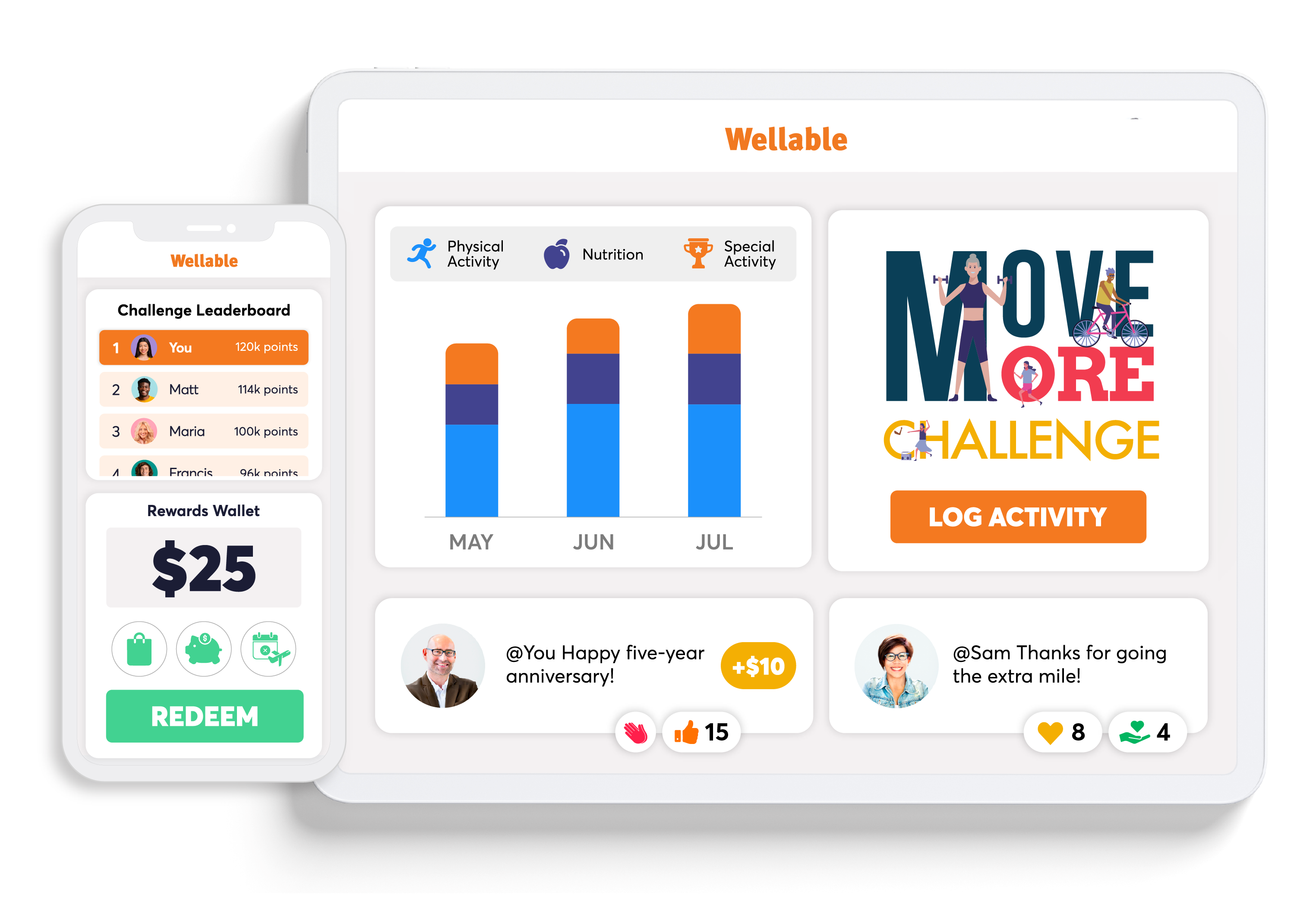
The right HCM creates a strong HR foundation. Wellable’s all-in-one platform adds an engaging wellness layer that supports employee well-being, increases participation, and helps organizations maximize investments in employee benefits.
Request a Wellable demo to learn more
BOOK DEMOFrequently Asked Questions
Human capital management (HCM) software is technology that supports workforce management across the full employee lifecycle, from recruiting and onboarding to payroll, benefits, development, and retention. HCM takes a broader, more strategic approach than an HRIS, which primarily manages employee records, or an HRMS, which combines employee data with HR processes.
The primary difference between HCM, HRIS, and HRMS is scope. An HRIS focuses on core employee records and administrative data, while an HRMS expands those capabilities to support processes such as payroll, benefits, and time tracking. HCM is the broadest category, combining core HR administration with strategic functions such as recruiting, talent management, performance, learning and development, workforce analytics, and employee engagement.
CM software often follows a per-employee-per-month (PEPM) pricing model, sometimes combined with a base fee. Current published prices illustrate the range: Gusto starts at $49 per month plus $6 per person per month, while BambooHR plans range from $10 to $25 PEPM. Small-business platforms generally offer lower starting costs; mid-market systems become more expensive as modules are added; and enterprise HCM platforms typically use custom pricing. Implementation, integrations, training, and support can increase total costs.
Popular HCM and HR software options for small businesses include Gusto, BambooHR, Rippling, Zoho People, and Paychex Flex. These platforms combine core HR capabilities with features such as payroll, benefits, onboarding, and workforce management without the complexity of many enterprise systems. The best choice depends on workforce size, required modules, integrations, budget, and expected growth.
Core HCM software features typically include:
- Payroll
- Time and attendance
- Benefits administration
- Performance management
- Learning and development
- Core HR and employee records
- Recruiting and applicant tracking
- Workforce reporting and analytics
Additional capabilities to consider include mobile employee self-service, compliance tools, automation, third-party integrations, and connections with employee wellness and benefits programs.
Cloud-based HCM software delivers HR and workforce management tools through the internet, typically using a software-as-a-service (SaaS) model. Unlike legacy on-premise systems that require organizations to maintain their own infrastructure, cloud HCM platforms generally provide remote access, automatic software updates, easier scalability, and centralized workforce data across locations.
-
Share
-

-

-

-